The best buy i made in years!
This device is incredible! Software was easy installed (even on Ubuntu) and when i plugged it it, it was found immediately. Now my Smart TV finally turns off when XBMC shuts down, so the TV is not running the whole night when i'm asleep while watching tv ;-) And there can be done much more with cec! I would recommend it to every XBMC user!
From:
|
Created on:
8/9/2012 3:03 PM
Was this review helpful?
Yes
No
(
4
/
16)
A very good piece of hardware
Pros:
- Using one remote is a great way to handle all your equipment
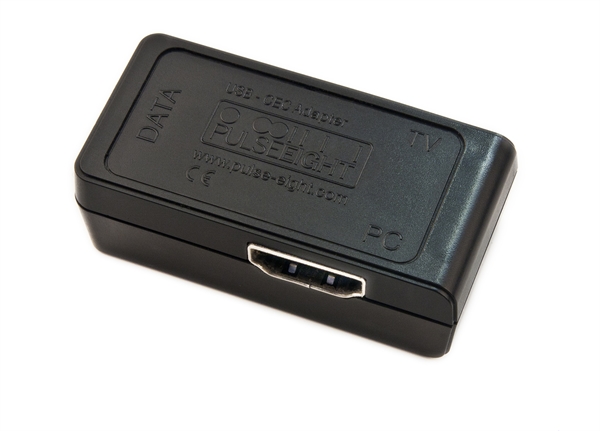
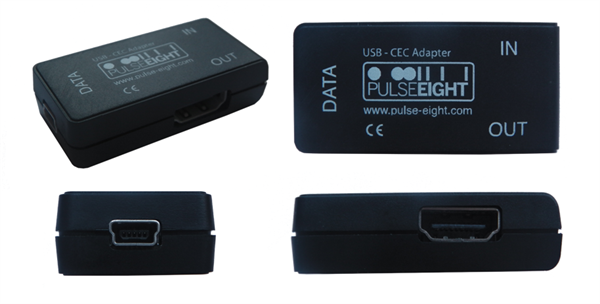
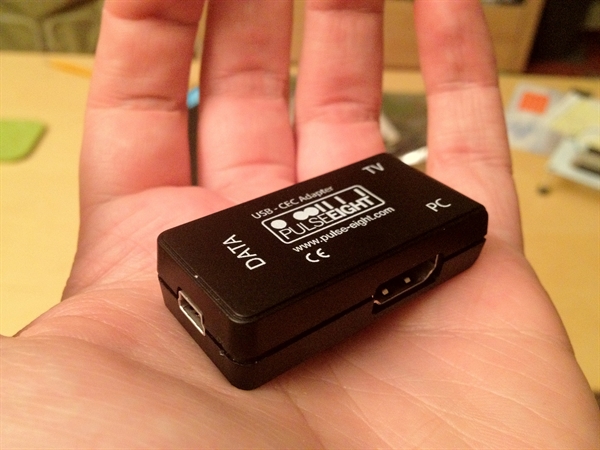
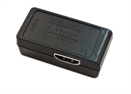
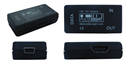
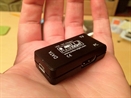
- The adapter is very tiny, making it easy to conceal it
Cons:
- While the hardware is perfect, the software support is still in development. Don't get me wrong, the XBMC team is doing a lot of work and the libCEC gets updates very frequently, it's just that is a new technology and needs a little more effort to be perfect. Using latest pre built XBMC distro result is automatic configuration and perfect out of the box functionality, so they're really doing a good work, both XBMC and Pulse-Eight
- (Samsung Consideration) My Samsung remote isn't the best, lacks some multimedia key and had to remap some key to give its best
Overall, the review is very positive. For a fair price, you get the chance to taste a new way to interact with your media center. Maybe someone still prefer a keyboard, but that's a personal choice. If you feel curios about, it's time to give it a try
As for the Pulse Eight service, it's a very remarkable one. It's the third product that i've bought, and all three times i've got a very fast expedition and a good care from the support for all my question and doubts.
From:
Matteo
|
Created on:
7/17/2012 11:07 AM
Was this review helpful?
Yes
No
(
6
/
7)
A MUST BUY for all XBMC Users!
This made me use XBMC again after 2 years. I was using Serviio Media Server on my Sony Bravia TV because i can control via the TV remote.
Now that i can control XBMC with the TV remote its just a joy to use
£30 is a steal for what the little adaptor can do! It works as it should using the custom Pulse-Eight build of XBMC
My only slight negative point is theres no manual. I would love if there was a wiki page but found the forum and Facebook pages helpful.
My item arrived very quickly and felt xmas came 9 months early this year!!
Theres no other product like it, its a no brainer must buy for anyone running XBMC through HDMI on your TV
From:
Aziz
|
Created on:
3/31/2012 10:53 PM
Was this review helpful?
Yes
No
(
4
/
33)
Surprisingly simple yet amazing!
I have to say that I was a bit skeptical about the device and its setup.
First, I have to say I was really impressed with the speed that PulseEight shipped the adapter. I had it the next day after I ordered it.
Then it came the moment of truth. I run Windows 7 on my media server, which is connected to my Panasonic P42-G20 (2010 model) via an Onkyo TX-NR509. I had not seen this combination mentioned anywhere in the forum and I was a bit worried.
Then after loading libCEC and installing the driver, it was up to updating XBMC to Eden RC2, and check if it was working.
To my surprise the ON/OFF capabilities worked straight out of the box, but for some strange reason, when I tried controlling XBMC with my Panasonic's remote, nothing was happening.
I need to use the Panny's HDMI2 input as default as I use the Audio Return Channel with my Onkyo, but the default setup of the XBMC settings for the CEC adapter were set to HDMI channel 1. I changed this to channel 2 and it worked more or less, but my TV was switching automatically to HDMI-1 when I hit the Viera Link - Control - Recorder menu.
I moved some configs on the Panny (changed the Link settings regarding Q-Link to say AV1, and the AV1out to AV2), and kept the HDMI port on the XBMC settings to 2, and then tried activating the Viera Link control and VOILA! I was controlling XBMC with my panasonic remote, which already was controlling my amp.
Now everything is consolidated and my wife is more than happy not having to see 3 remotes, a keyboard and a mouse next to the TV couch!
A nice tip: you can type and search using your Panasonic keyboard (probably works with others) if you enable the "Remote control sends keyboard presses" in the Input Devices settings of XBMC. This way you can type your searches using the remote as if it was an old mobile phone texting device!
All in all incredible satisfied! I love the tech behind the adapter and its simplicity! Can't wait for the new firmware that will allow the telly to wake up my media server, and set the amplifier and telly to the right input!!!
Thanks for building something so amazing! Can't also wait for it to work with other media centre software!
Regards,
AG, London
From:
Juan Antonio
|
Created on:
3/17/2012 7:29 PM
Was this review helpful?
Yes
No
(
5
/
30)
Fantastic!
Great little device, and great support from a wonderful company.
Just buy one, you won't regret it.
From:
|
Created on:
2/3/2012 6:53 PM
Was this review helpful?
Yes
No
(
2
/
25)
Fantastic!
Works perfectly!
It makes XBMC. So much easier for people to use. Once you can use a TV remote it makes the whole thing much less daunting.
From:
|
Created on:
1/26/2012 12:56 AM
Was this review helpful?
Yes
No
(
1
/
23)
Excellent device
Got my adapter today and after mapping some additional keys differently its a perfect setup I dont want to miss again.
The only thing missing is the option to wake an HTPC via the adapters usb port if that feature also makes it into a future firmware it doesn't just make it an awesome device but the best hardware development for an XBMC HTPC ever made!
Thanks and keep on the good work!
From:
Severin
|
Created on:
1/19/2012 8:33 PM
Was this review helpful?
Yes
No
(
0
/
19)
Loewe Indi 40 - XMBC Eden - Windows 8
Today I upgraded XBMC on my still-in-the-making HTPC (running Windows 8 preview) to the latest available nightly build of Eden. It's a stunning experience to see it working perfectly, remote controlled by my Loewe Individual Compose TV set with no efforts at all! Great job, guys!
Now on to building my own flavour of XBMC to sqeeze even more out of the Loewe remote control ...
Greetings from Nürnberg, Germany
Daniela
From:
|
Created on:
12/21/2011 12:30 PM
Was this review helpful?
Yes
No
(
4
/
19)
Windows 7 Samsung Le40750
This is what we were waiting for!!! Great stuff from Pulse-Eight!! This is a must buy for everybody with a xmbc mediacenter!!! The delivery is fast and also the online help through e-mail was super!!!
From:
|
Created on:
12/6/2011 2:42 PM
Was this review helpful?
Yes
No
(
1
/
14)
Working on Philips 42pfl9803h
I have got it running on my Philips 42pfl9803h and it works. Some room for improvement:
- usb connection seems intermittent, clearly some supplied cabling/connector/pcb issue, I need to wiggle it a bit until it is steady
- my dvb-t reception is interfered when the adapter is on (actually when the mac mini is on) so maybe the packaging can limit the radiation (cage of faraday and such?)
- there is no Mac OSX 'testtool' to sniff protocol stuff coming from the TV supplied remote control, please write one
- xbmc stop or shutdown switches off the TV for both tasks, it would be nice to keep the TV on when it only concerns stopping the application. Extra option in preferences?
Other than this, it is nice to see the TV switched on and off when XBMC starts and stops.
Regards,
Edwin de Vaan
------
Note from Pulse-Eight
The customer's highlighted issue with DVB-T reception is not caused by our device as it does not emit any RF signal.
From:
|
Created on:
12/5/2011 9:01 AM
Was this review helpful?
Yes
No
(
1
/
10)
Samsung 40 LED TV
Works perfectly with my Samsung for switching on/off. One thing to note is that you need to switch off software updates on the Samsung or it disables power off by CEC when it runs.
From:
|
Created on:
10/26/2011 8:14 PM
Was this review helpful?
Yes
No
(
9
/
14)
It works!
This is working great to turn my Sony Bravia TV on and off, and the support for button presses is partially there. I did have some issues setting the software up, but this is being worked on and will become much easier once XBMC eden is out.
The box is very small so you can hide it away somewhere.
From:
Jordan
|
Created on:
10/18/2011 5:47 AM
Was this review helpful?
Yes
No
(
13
/
17)